PayFlow Engine logo PayFlow Engine
Learn More

Paycheck-based planning for real life cashflow.

PayFlow Engine is desktop financial planning software built around pay periods, not calendar months. It answers the daily question that matters most: What does my next paycheck need to cover?

Core Philosophy

PFE keeps planning and ledger reality separate, uses deterministic data handling, and stays local-first for privacy. You always see where money is going, what bills are due, and whether you are safe before the next pay date.

1) Paycheck Windows, Not Months

Periods are generated between paychecks so you can plan by when money arrives, not by arbitrary month boundaries.

2) Planning vs Ledger Reality

Scheduled bills/income drive forecasts, while actual transactions remain explicit and auditable in the ledger.

3) Deterministic Financial State

No silent mutations. Imports do not overwrite history and structured actions are reversed through proper workflows.

4) Local-First Privacy

Data stays on your machine. No mandatory bank linking, no cloud lock-in, and full offline usability.

What You Can Do in PFE

Pay Window Operations

  • Apply income using expected or actual received amount
  • Pay, partial-pay, and pre-pay bills
  • See remaining-after-bills with risk status

Set-Aside Workflow

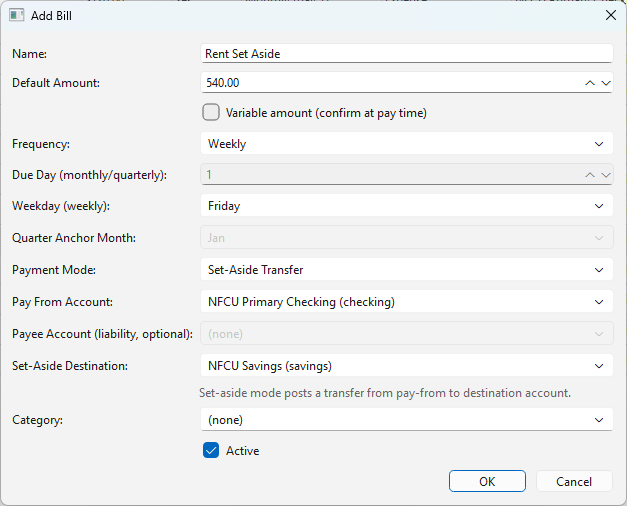
  • Create weekly set-aside transfers for large monthly bills
  • Move funds (for example, Checking ? Savings) per paycheck
  • Keep paycheck math realistic by pay-from account

Forecast and Cashflow

  • Project upcoming periods with scheduled income/bills
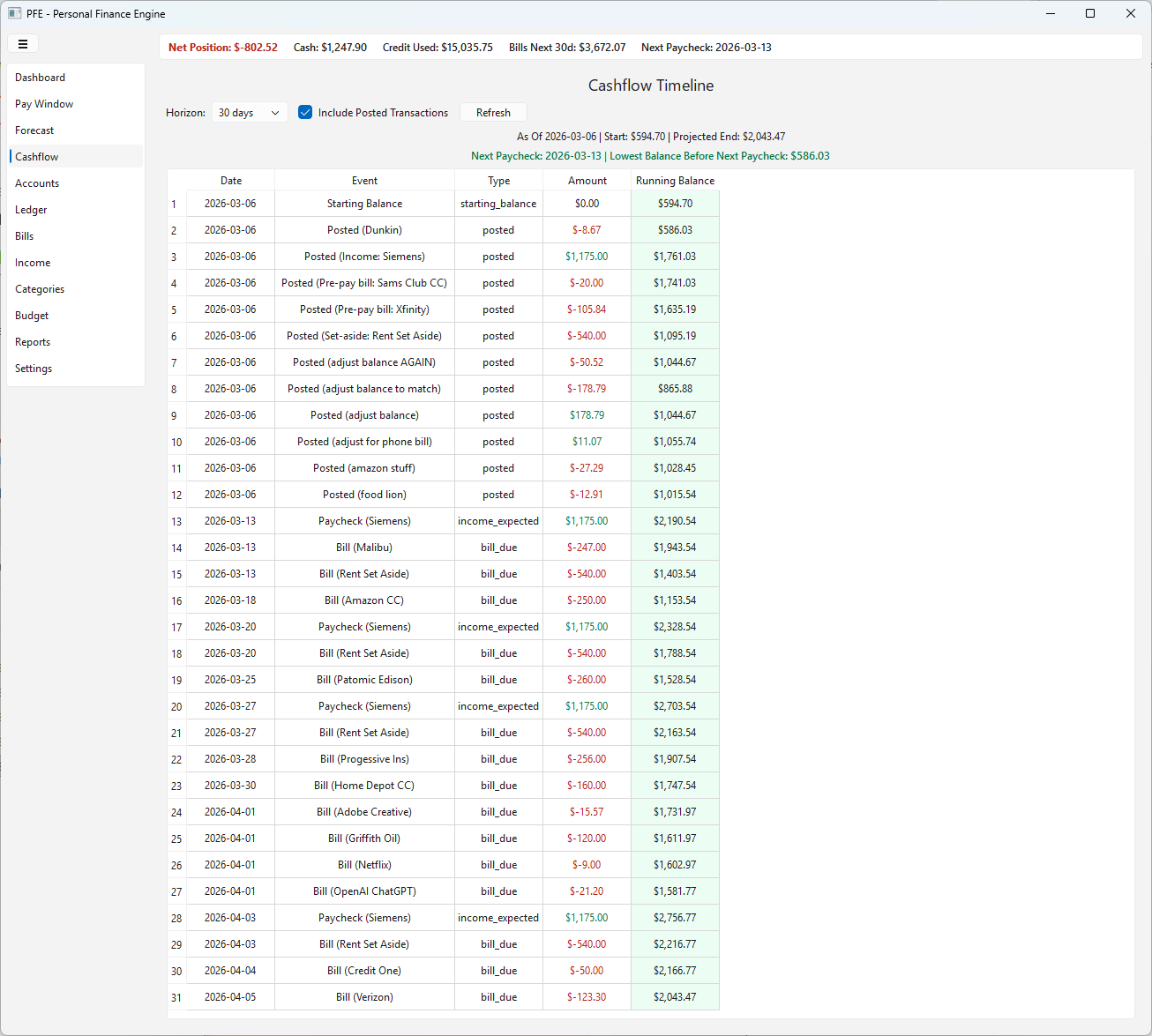
  • Review chronological timeline with running balance
  • Spot low-balance and shortfall risk early

CSV Import with Safeguards

  • Map columns per-bank format
  • Preview parsed rows before import
  • Handle exact and possible duplicates safely

Product Screens

A complete view of the workflow, from planning and execution to ledger control and imports.
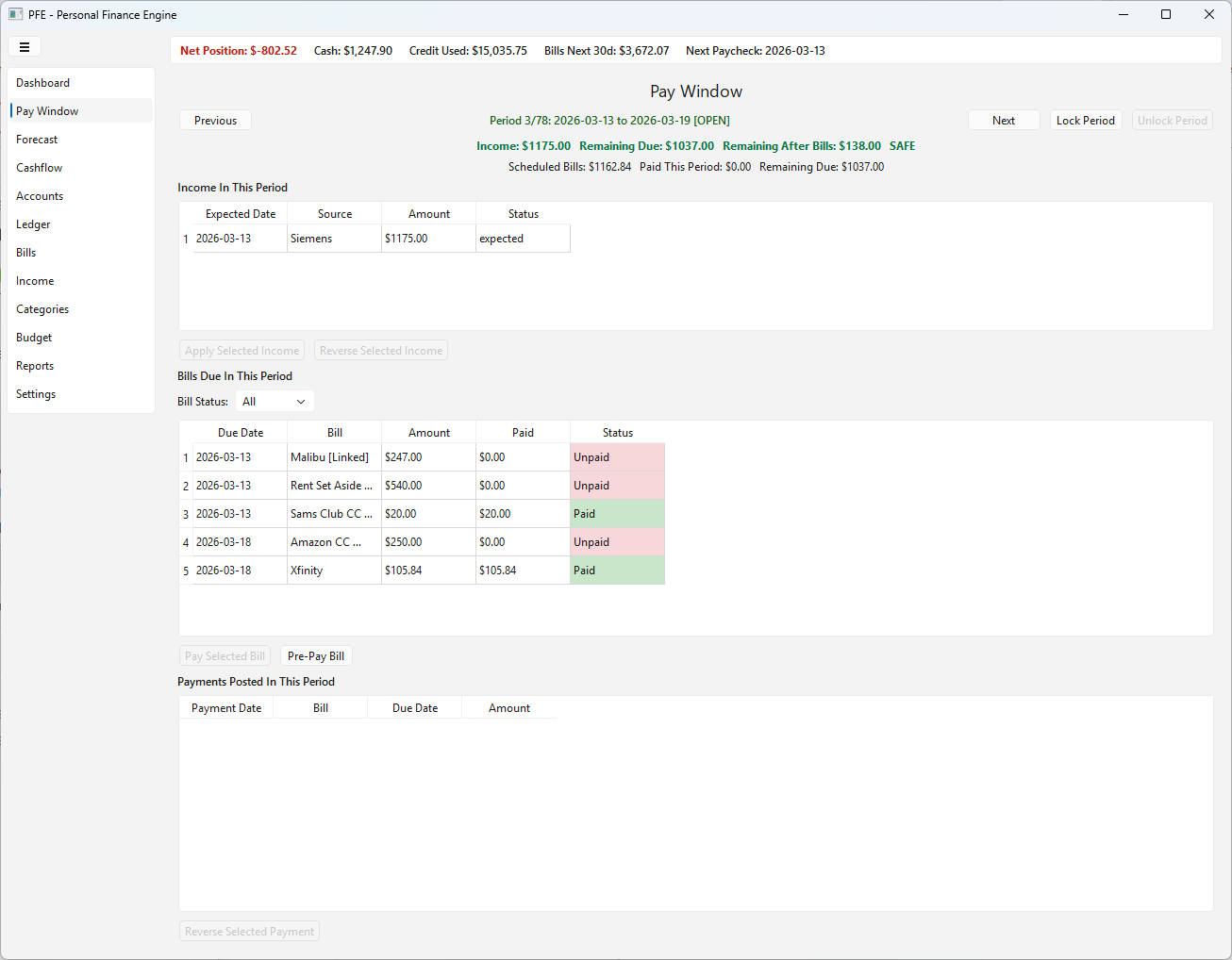
Pay Window screen
Pay Window: income, bills, and remaining after bills in a single view.
Cashflow Timeline screen
Cashflow Timeline: event-by-event running balance and forward visibility.
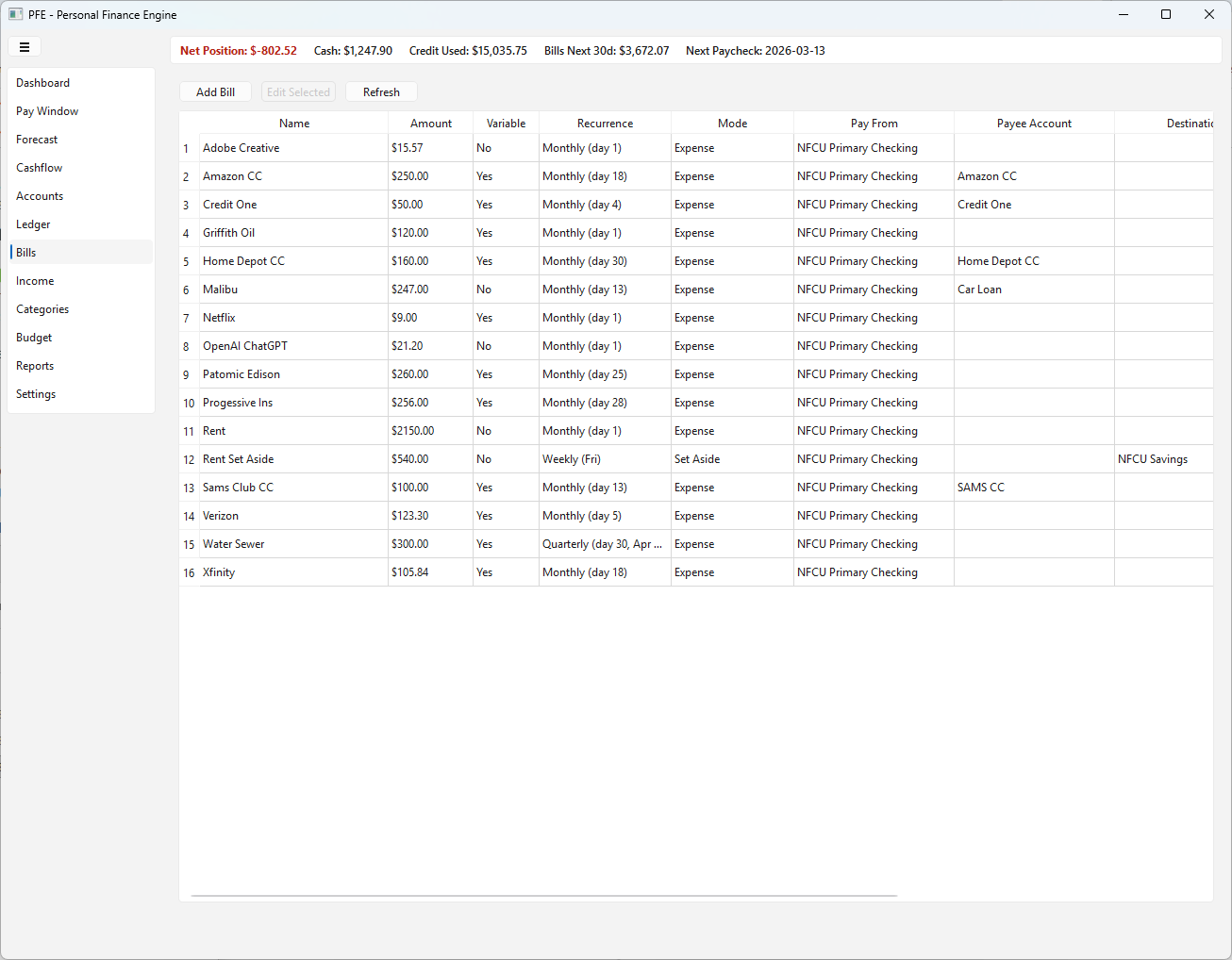
Bills screen
Bills: recurring obligation setup with due rules and payment account routing.
Set-aside workflow screen
Set-aside flow: stage money over multiple paychecks for large due dates.
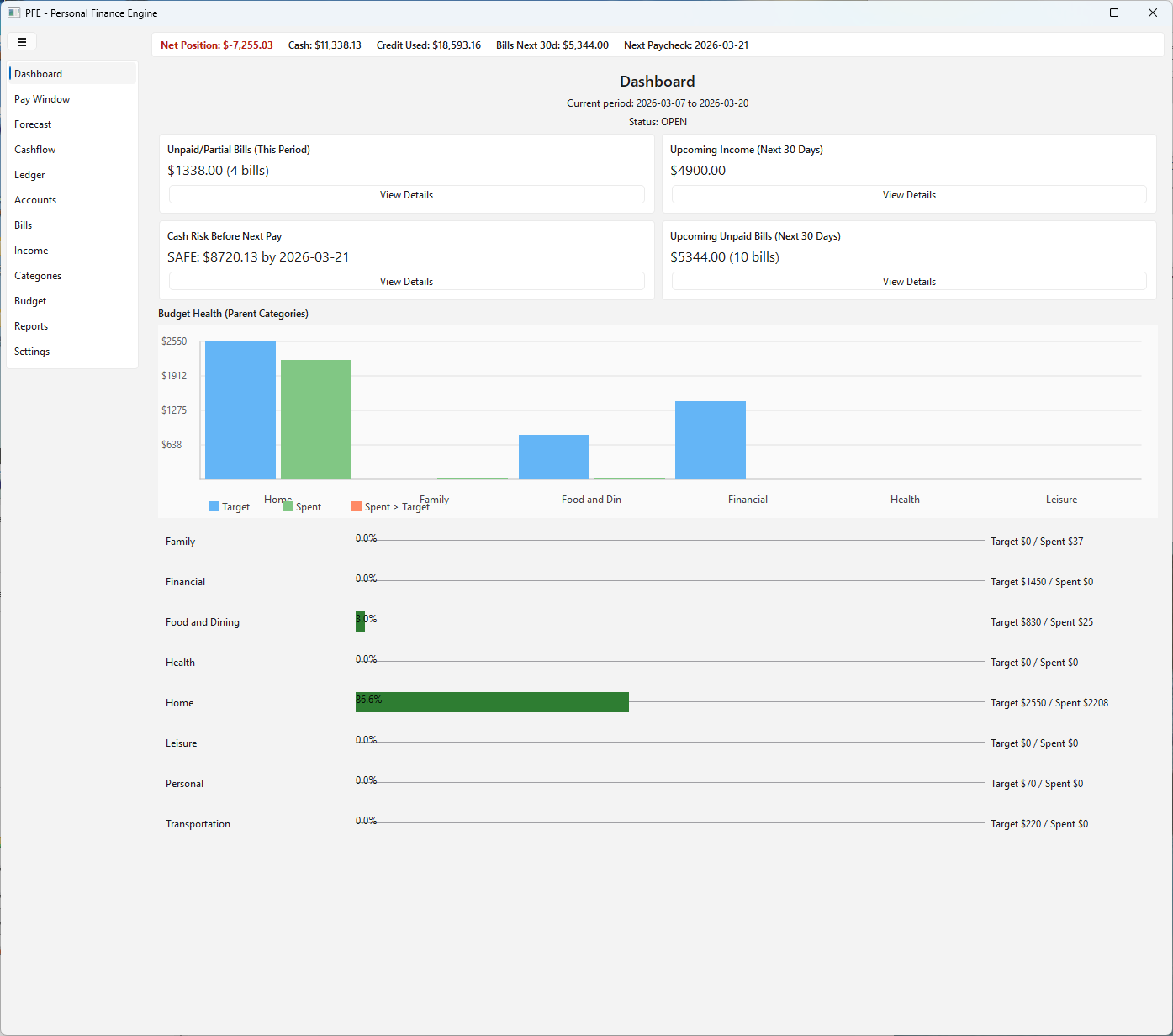
Dashboard overview screen
Dashboard: key financial status, upcoming obligations, risk signal, and budget health in one view.
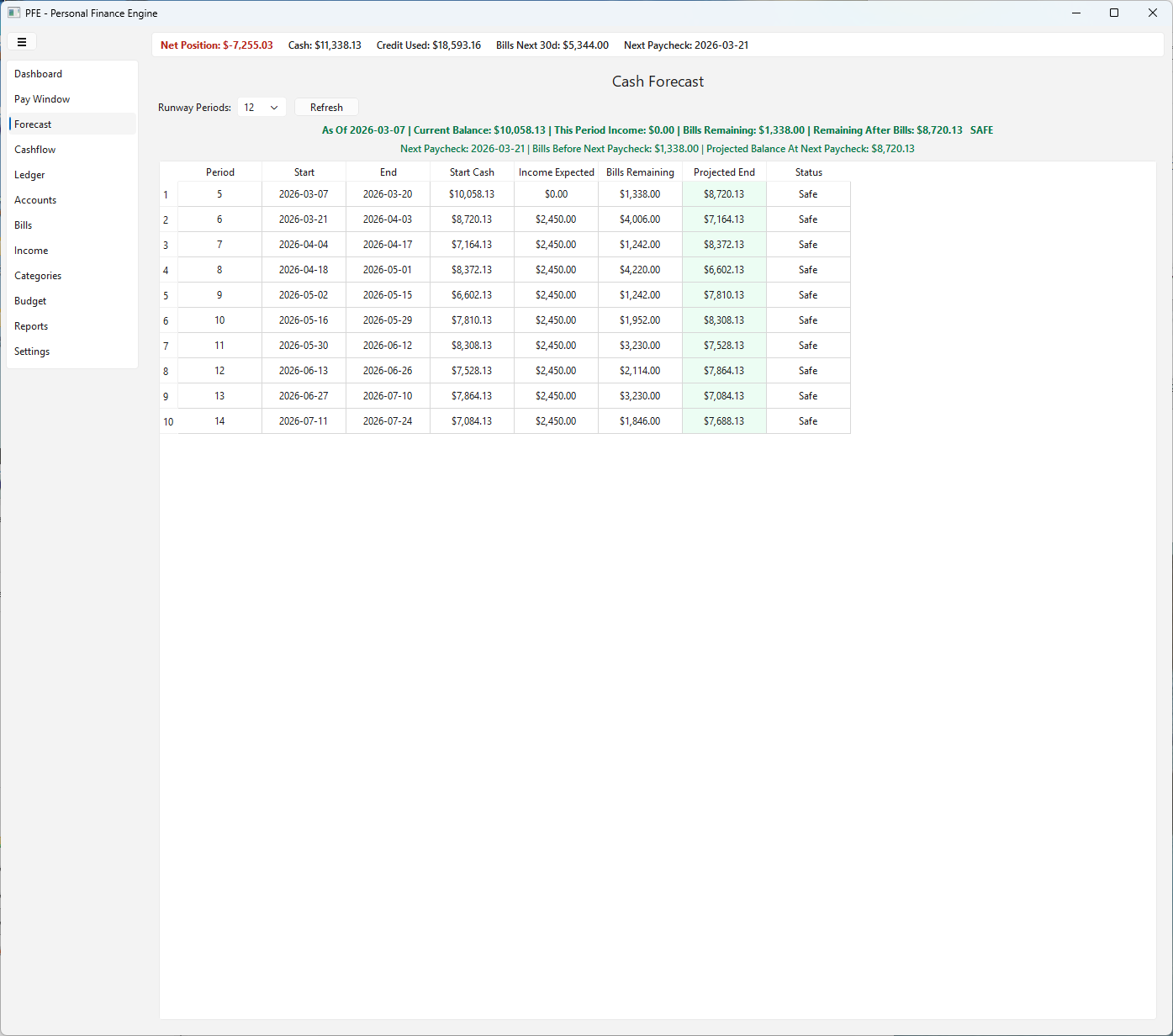
Forecast screen
Forecast: projected pay periods with expected income, scheduled bills, and remaining balance.
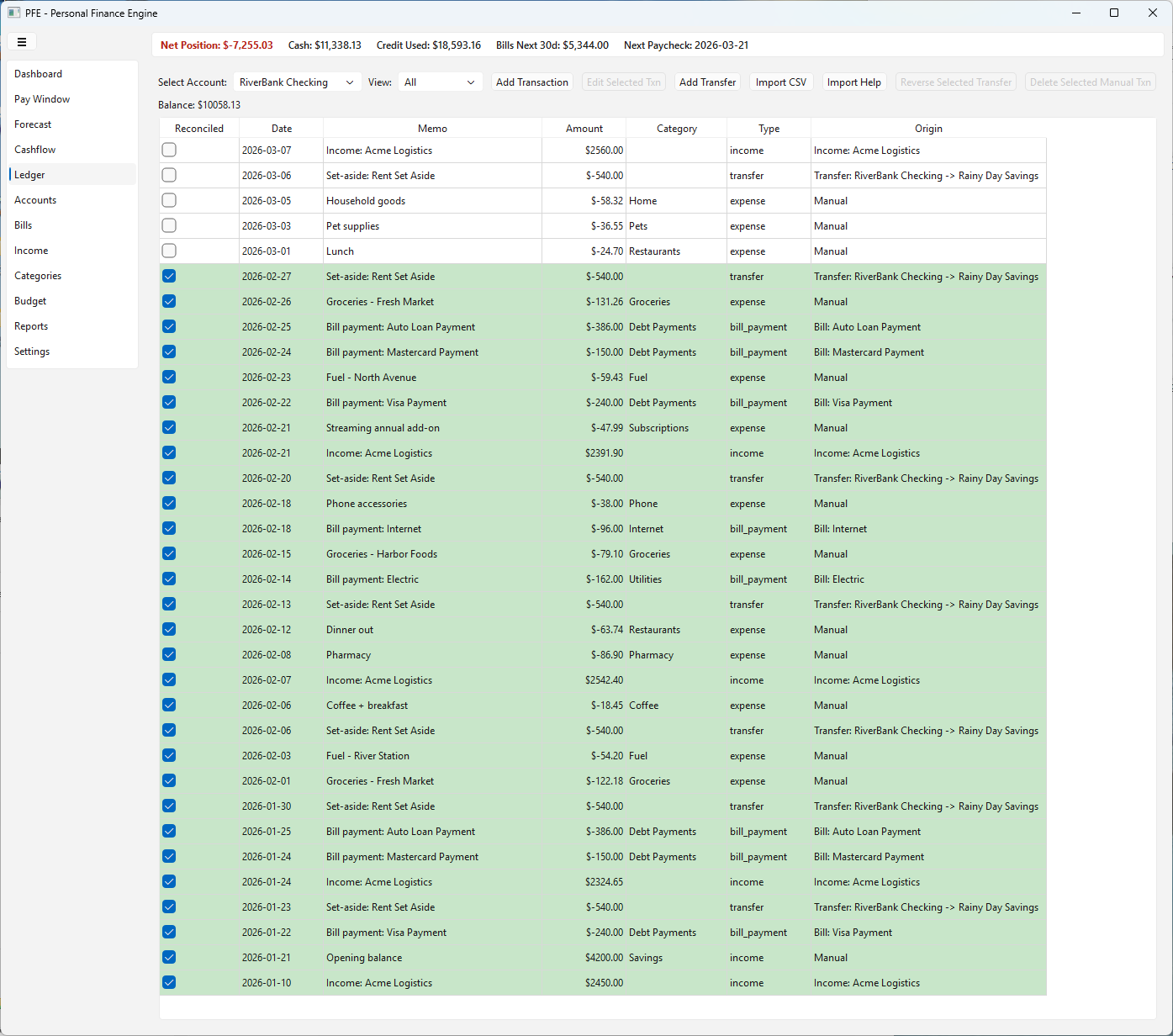
Ledger screen
Ledger: complete transaction history with reconciliation state, categories, and origin tracking.
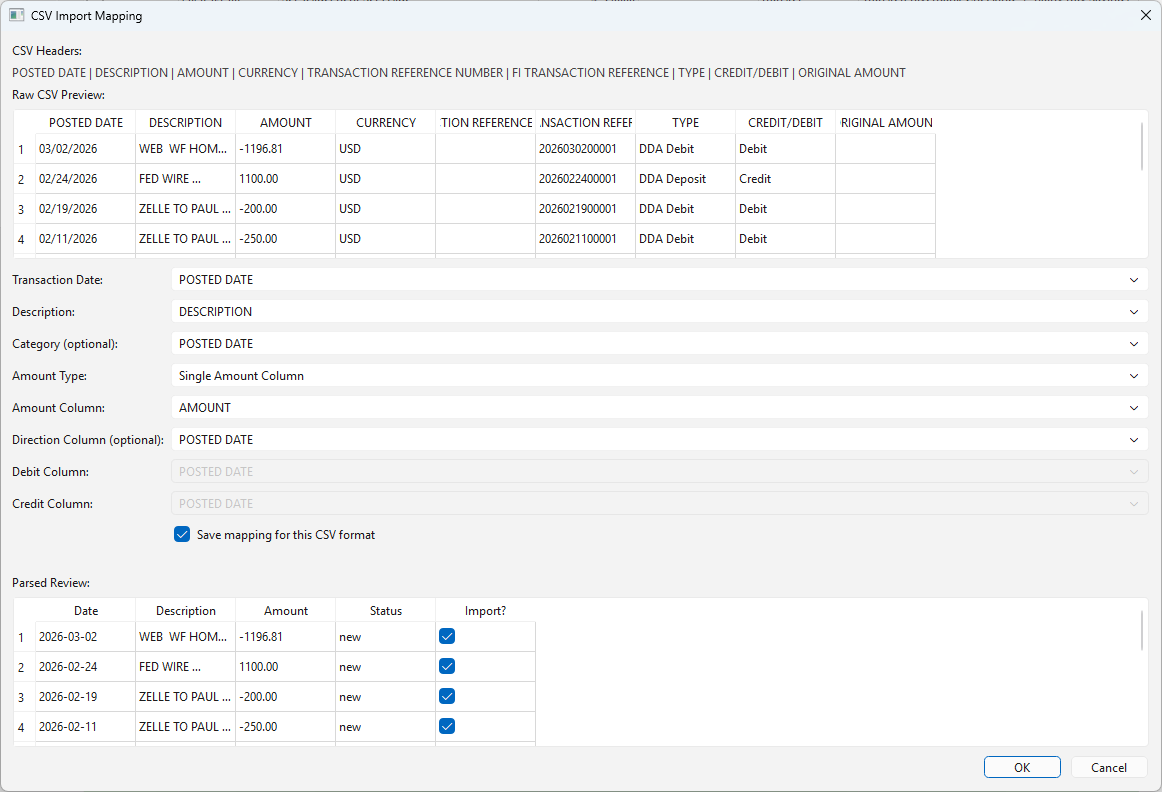
CSV import mapping screen
CSV Import: flexible column mapping, parsed preview, and duplicate review before posting transactions.

How Setup Works

First run setup collects only what is needed to start planning immediately.

  1. Add primary spending account.
  2. Add first income source (amount, frequency, anchor date).
  3. Add first bill definition (amount, due rule, account).
  4. Open Pay Window and plan period by period.
Trial and license: full functionality is available during the 14-day trial. Data stays intact after trial and continues after license activation.

Who It Is For

Ideal Users

  • People planning cashflow between paychecks
  • Variable-income households (hours/tips/side income)
  • Users who want local-only financial privacy

Outcome

PFE replaces monthly abstraction with paycheck-level clarity so you know what each pay period must cover, and whether your plan is safe before money gets tight.